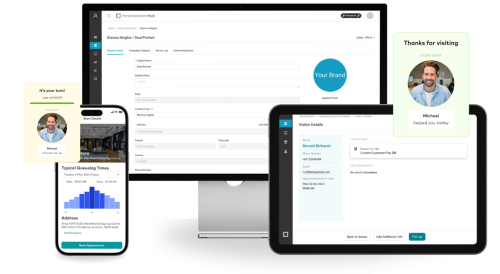
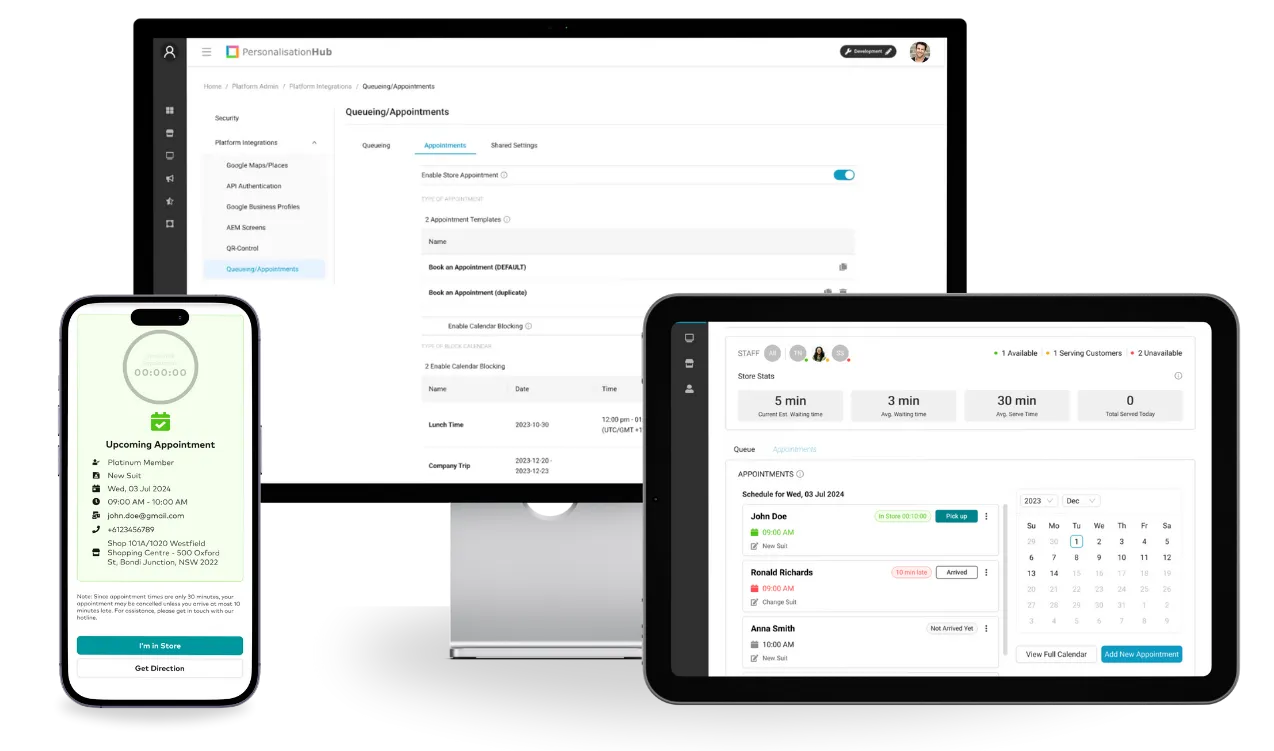

Appointments are auto-magically added to the virtual queue, at the correct time.

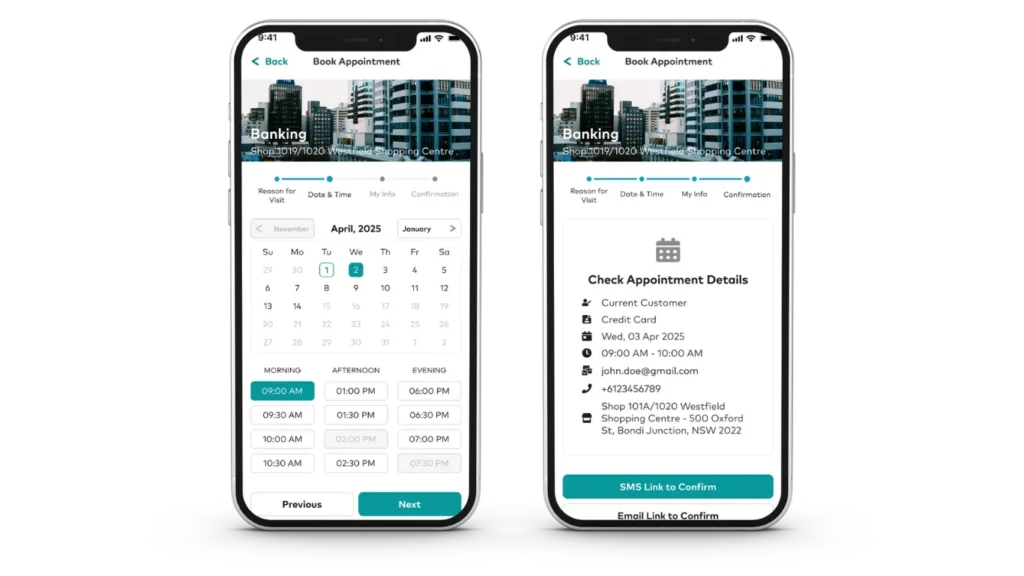
Customers can schedule appointments at a time that works for them.

Add an appointment to an active purchasers calendar.

World-leading insights into what's happening across all your stores/branches.
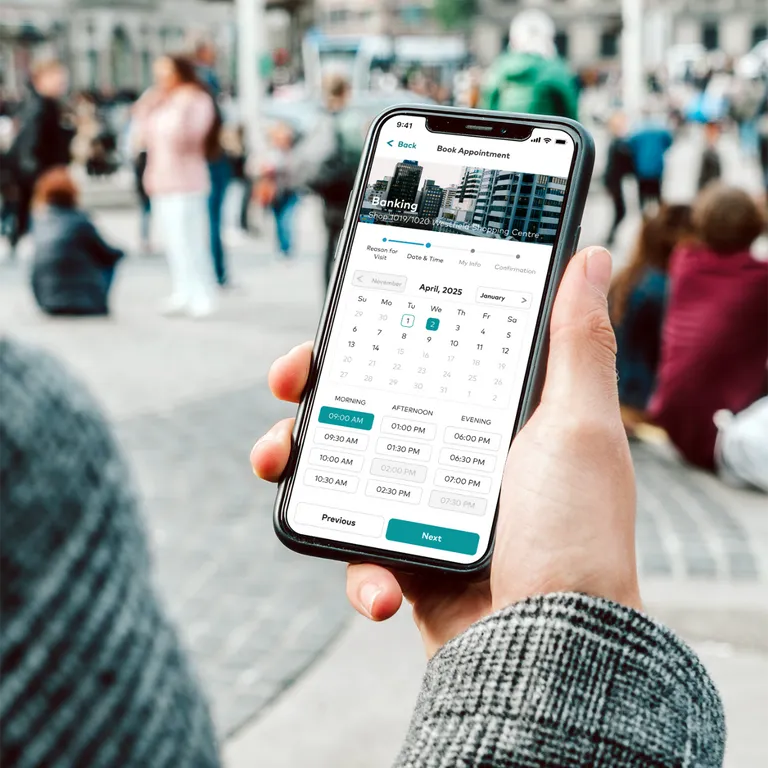
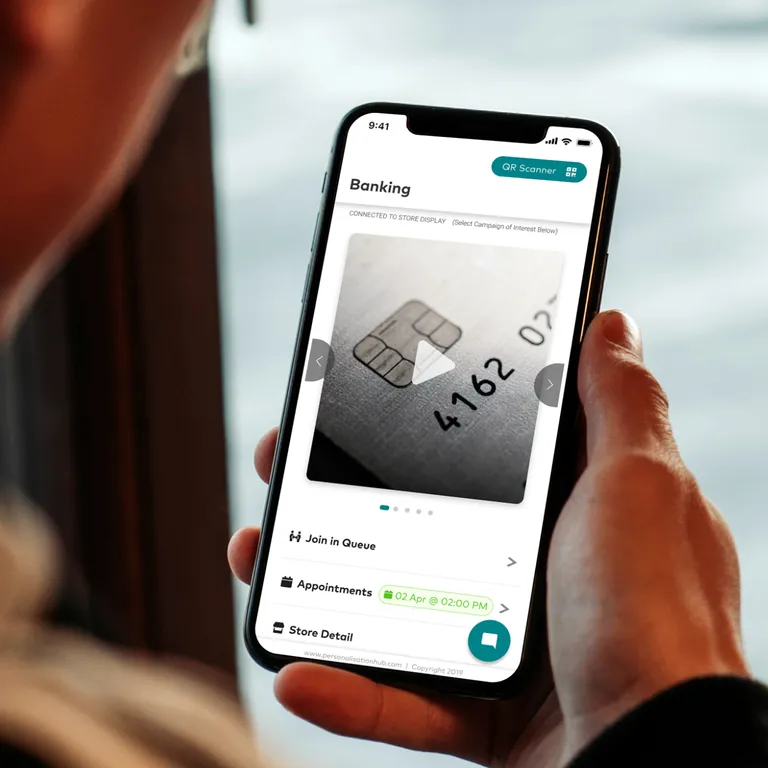
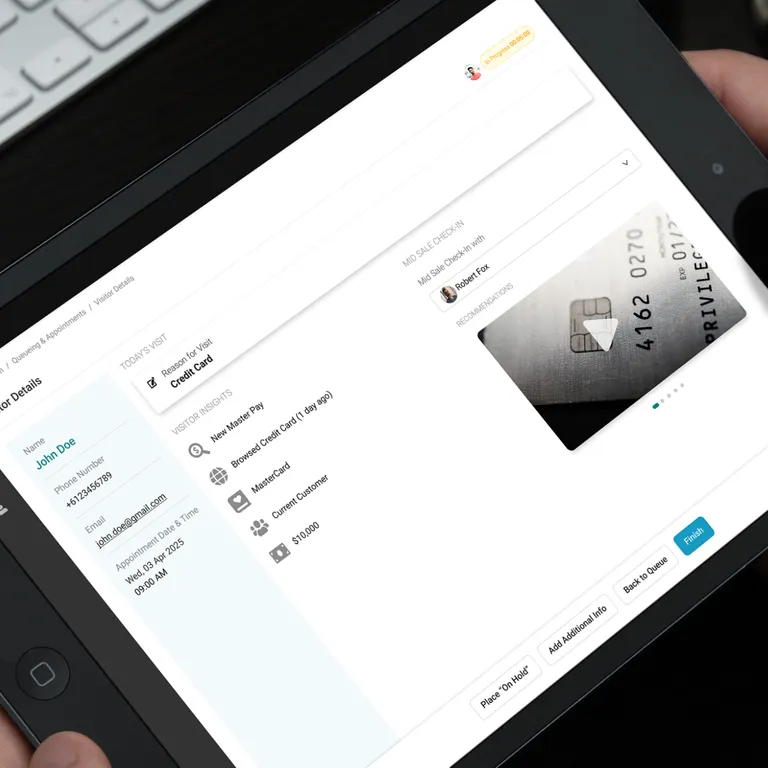

Increase customer satisfaction by offering appointment bookings in your retail stores. Streamline your customer journey, deliver personalised experiences & optimise resource allocation, enhancing brand loyalty & maximising every sale opportunity.

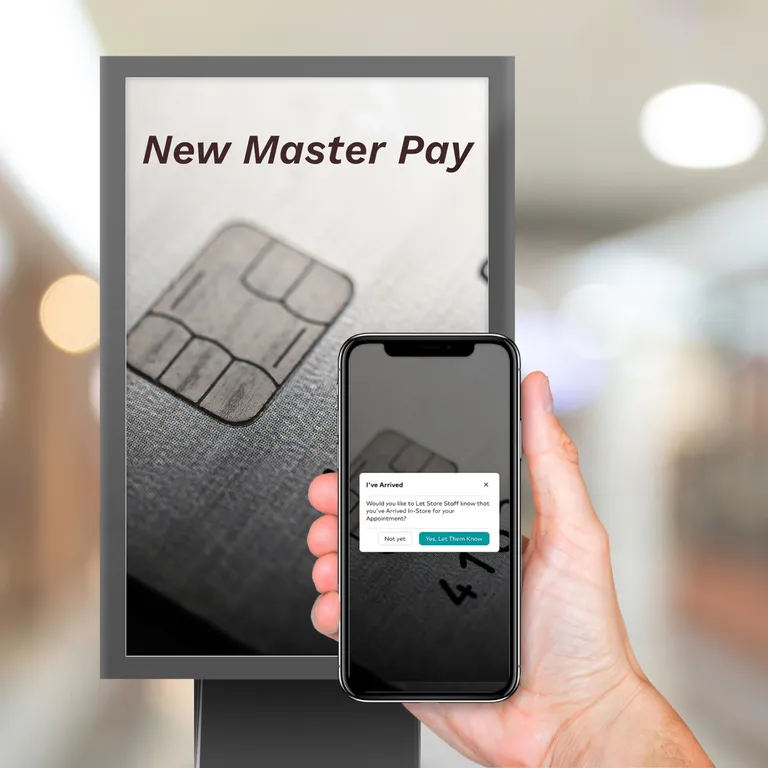
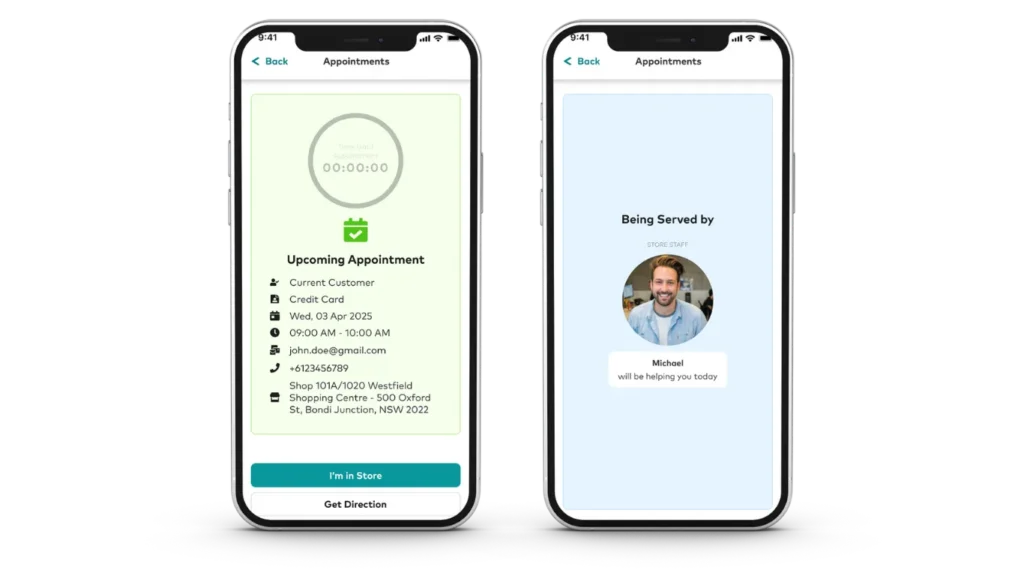
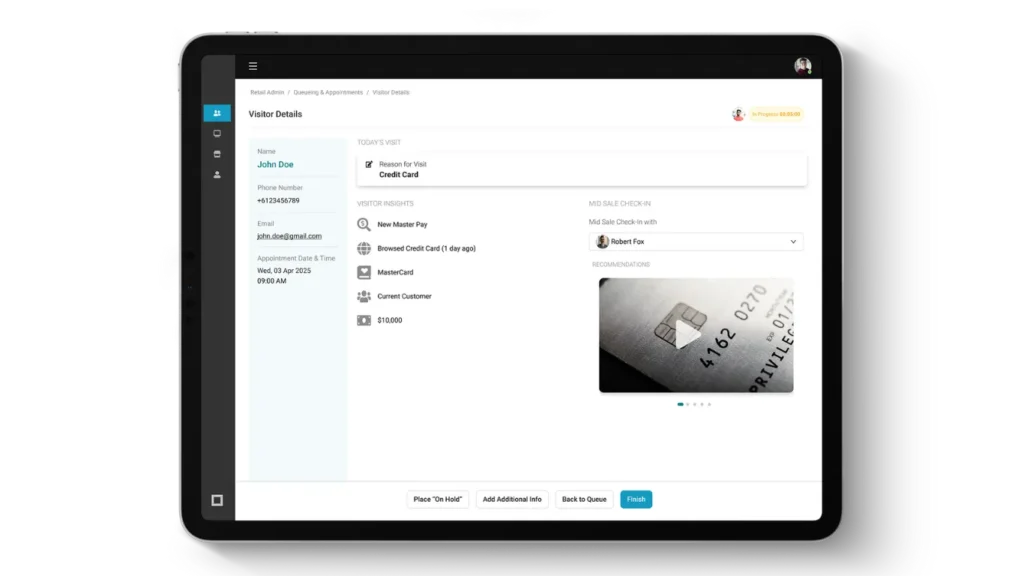
Support a seamless store check-in when customers arrive for their appointment. Uplift NPS, reduce wait times, and optimise staff efficiency across all your stores nationwide. Aggregate relevant customer insights & leverage data to support hyper-personalised experiences

Customise the look & feel of your appointment booking experience, on your website & mobile app. Tailor interfaces effortlessly to match your brand. Platform runs on your own 1st party data & therefore allows you to seamlessly connect your online & offline CX

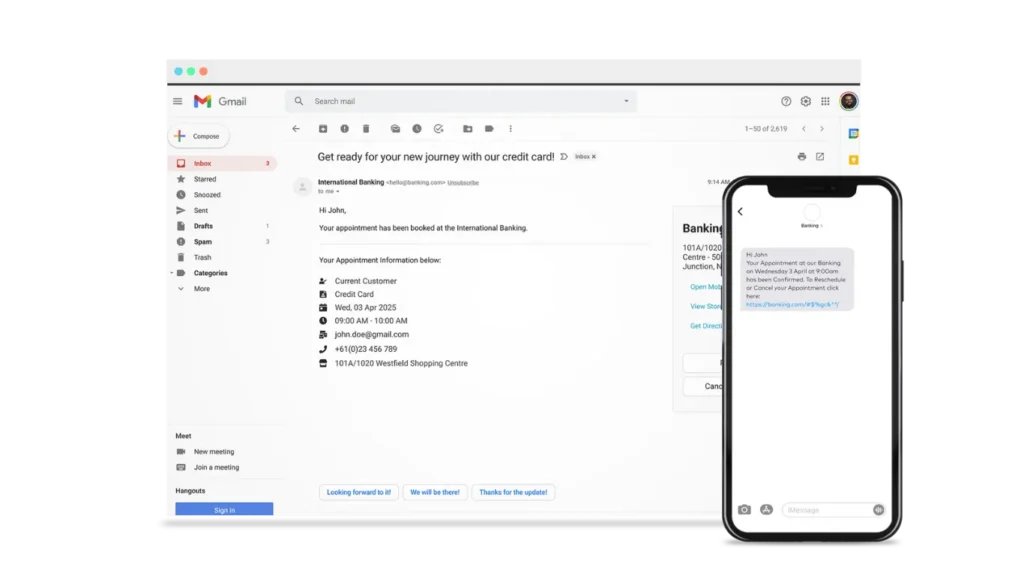
Send appointment reminders via SMS or Email. Reduce no-shows, increase attendance, and empower customers with convenient, one-click options to reschedule or cancel their appointment, optimising resource allocation and boosting customer satisfaction.

Elevate convenience by offering a seamless Click & Collect experience. uplift NPS, differentiate your Brand & Boost revenue by offering a frictionless shopping experience where customers can order online & pick up in-store at a time that works for them.

Leverage the platform’s 1st party data to connect actual customer experience in retail to every other digital interaction, including your ad networks.
The platform provides enterprise clients with the tools/insights to support ongoing optimisation within retail.






Appointment Booking is part of Personalisation Hub is a self-hosted personalisation platform for businesses with physical locations. It combines live store context (time, weather, stock) with your own customer data and personalises websites, apps and in-store screens in real time. It runs in your own AWS account.
Businesses with physical locations: stores, venues and branches
Time, weather and stock, plus your own CDP, CRM, loyalty and decisioning data
Self-hosted in your own AWS account (VPC) and on your own domain.
Any digital signage device, alongside your existing app and systems.
Typical installation takes about 1 hour 15 minutes, as stated on the AWS Marketplace listing.
30-day free trial on AWS Marketplace, then billed through your AWS account.
Last updated
Customers choose a time to visit a store, collect an order or check in on arrival, instead of waiting in the store's virtual queue.
Bookings are made for a service or a click-and-collect pickup, and the customer receives SMS and email messages.
Help Centre: Enable appointment bookings, About Personalisation Hub
Each store sets its own slots per weekday and public holiday. HQ sets the template rules, such as duration, buffers, lead times and cancellation windows.
Calendar blocking removes dates and times a store cannot serve.
Help Centre: Set appointment slots per store and per day, Appointment template settings reference, Block out dates and times for appointments
Customers receive SMS and email confirmations, reminders and check-in messages.
SMS needs sending approved in AWS and a platform SMS sender ID set before you launch bookings.
Help Centre: Appointment SMS and email notifications, Update the platform's SMS sender ID
On arrival the customer can scan the QR code on the entrance display to check in for the appointment and give an identifier so staff can find them.
Staff are notified of the arrival and see the relevant insights when they pick the customer up.
Help Centre: Use customer and decisioning data to personalise the store visit, Enable appointment bookings
About 10 minutes in HQ Admin, in four short procedures.
You enable appointments in Platform Admin, enable them for each store, check your reason-for-visit list and decide how you will block out dates and public holidays. Stores need correct opening hours, because slots are offered inside them.
Help Centre: Enable appointment bookings, Update your store's opening hours (Retail Admin)